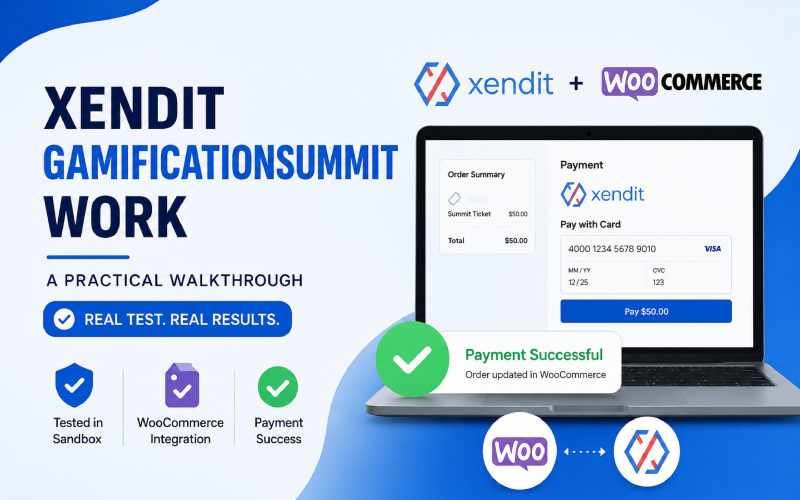
If you’re setting up ticket sales for a gamification-summit-style event and considering Xendit as your payment processor, you’re probably asking a simple question: xendit work gamificationsummit — practically speaking, how does it work once it’s connected to your ticket platform? This guide breaks that down using Xendit’s own official documentation and dashboard data — including real fee figures, not just general statements that fees “vary.”
Understanding xendit gamificationsummit work for ticket payments — from the moment a buyer clicks “purchase” to the moment they receive a confirmed ticket — helps you budget correctly, set expectations for attendees, and test your integration properly before your event goes live. Below, we walk through the actual setup with real dashboard screenshots so you can see exactly what each step looks like.
What Xendit Actually Is
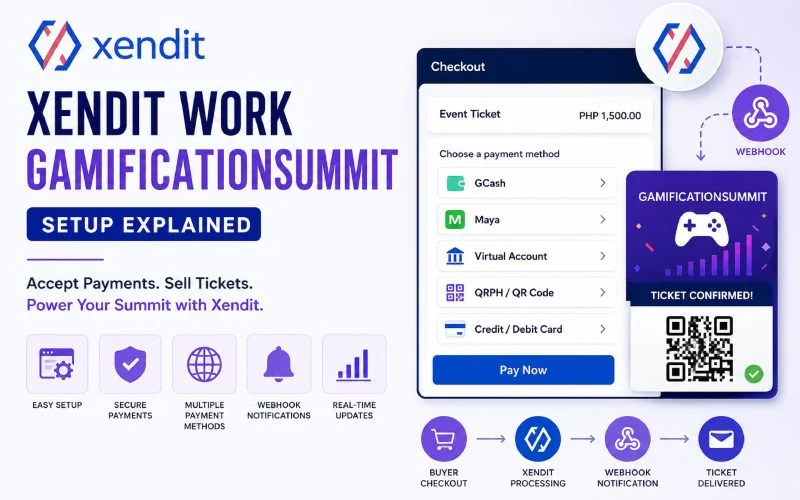
Xendit is a payment infrastructure provider supporting businesses across Southeast Asia. It processes payments through national QR rails including QRIS, QRPH, PromptPay, and VietQR, popular local e-wallets such as GCash, OVO, and ZaloPay, and local bank transfers across multiple markets. It doesn’t run ticket sales itself — it sits behind your ticketing platform, handling the actual movement of money once a buyer chooses to pay.
By country, Xendit’s documented payment method coverage looks like this: in Indonesia it supports virtual accounts (BCA, BRI, Mandiri, etc.), QRIS, e-wallets (OVO, DANA, ShopeePay), retail outlets, and cards; in the Philippines it supports online banking, e-wallets (GCash, Maya), over-the-counter payments, and cards; in Vietnam it supports bank transfers, e-wallets (MoMo, ZaloPay), and cards; in Thailand it supports PromptPay, online banking, and cards; and in Malaysia it supports FPX, online banking, e-wallets, and cards. (Source: Xendit Payment Methods)
Over-the-counter options in the Philippines specifically include 7-Eleven, Cebuana, CVM Pawnshop, ECPay, LBC, M Lhuillier, Palawan, and SM Payment Counters, which matters if your gamification summit has attendees who prefer to pay cash-in at a retail counter rather than online. (Source: Xendit via Payhip Help Center)
Xendit Work Gamificationsummit — Step by Step
Based on Xendit’s published API documentation, a typical payment flow looks like this:
- Checkout page is created — your ticketing platform prepares a checkout flow, displaying the payment channels you’ve chosen to offer to buyers. (Source: Xendit Docs)
- Buyer selects a payment method and a payment request is created through Xendit’s API, including ticket price and buyer details.
- Xendit processes the request. If no further action is required from the buyer, the payment either succeeds or is marked as requiring additional steps (for example, redirecting to a bank app to confirm).
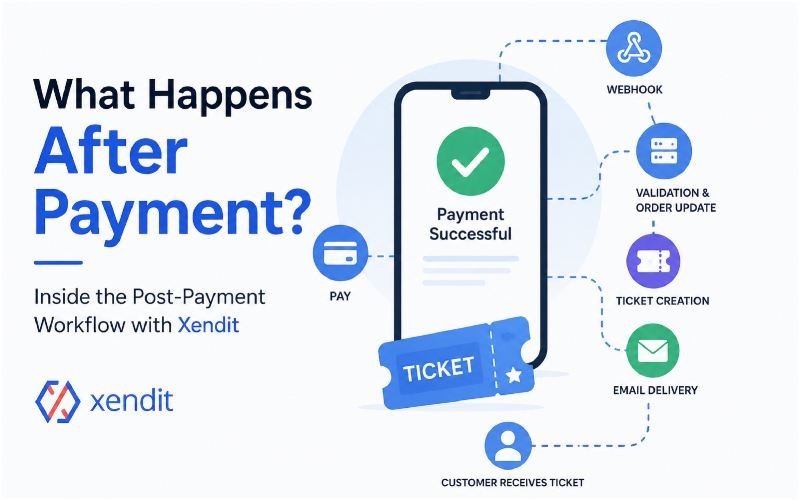
- A webhook notification is sent back to your platform. Xendit’s “invoice” webhook notifies your system when an invoice has been paid or has expired, which is what typically triggers ticket delivery — a QR code or confirmation email, depending on how your platform is configured. If your endpoint doesn’t respond correctly, Xendit will automatically retry delivery up to six times, with an exponential back-off between each attempt, so a temporary server hiccup on your side shouldn’t cause a lost ticket confirmation. (Source: Xendit Docs — Webhook Behavior)
- The payment link expires if unpaid. The default expiration for an Invoice or Payment Link is 24 hours, though this is configurable in your dashboard settings — worth adjusting downward for time-sensitive ticket releases if you don’t want a payment slot held for a full day. (Source: Xendit Help Center)
- Funds settle to your account after a settlement period that varies by payment method and market.
Overall, this reflects how most gamification summit and Xendit integrations work. However, the exact screens, checkout steps, and processing times depend on your ticketing platform and its configuration.
What Xendit Actually Charges (Verified Fee Data)
Unlike vague “fees vary” statements, Xendit publishes an actual rate table on its pricing page. Below are real, current figures pulled directly from that page for a few payment methods commonly relevant to event ticketing. These are Xendit’s standard published rates — your account may have different negotiated rates, so always confirm your actual rate in your Xendit Dashboard’s Billing Fee Structure page before budgeting. (Source: Xendit Pricing)
| Payment Method | Market | Payment Method Fee | Xendit Processing Fee |
|---|---|---|---|
| GCash (E-Wallet) | Philippines | 3.00% | PHP 11.00 |
| Maya (E-Wallet) | Philippines | 2.00% | PHP 11.00 |
| QRPH (QR Code) | Philippines | 1.50%, min PHP 15.00 | PHP 11.00 |
| Virtual Accounts | Philippines | 1.00%, min PHP 15.00 | PHP 11.00 |
| Cards (Domestic) | Philippines | 3.50% | PHP 11.00 |
| QRIS (QR Code) | Indonesia | 0.70%, inclusive of VAT | IDR 4,000 |
| OVO (E-Wallet, Non-Digital merchant) | Indonesia | 3.00% | IDR 4,000 |
| Cards (Domestic/International) | Indonesia | 2.90% + IDR 2,000 | IDR 4,000 |
Additionally, budget for two extra costs. First, Xendit charges a non-refundable USD 25.00 fee for each card chargeback dispute. Second, Xendit lists its fees before local taxes. Therefore, VAT, GST, or SST may apply. Xendit automatically calculates and deducts these taxes during settlement. (Source: Xendit Pricing)
If you plan to offer installment payments, note that rates run higher — for example, BNI, BRI, and Mandiri card installments in Indonesia carry a fee of 5.00–10.00% plus a flat IDR 2,000 charge, so installment options can meaningfully cut into ticket revenue if offered without a surcharge.
Testing Your Integration Before Launch
This is the step most guides skip, and it’s the one that actually prevents a broken checkout on the day tickets go live.
Xendit provides a Test Mode environment (its sandbox) that every account gets access to immediately on registration, allowing you to simulate both successful and failed payment scenarios using Development API keys before switching to Live keys. (Source: Xendit Help Center)
What you can actually test:
- Additionally, each sandbox account includes a pre-loaded test balance. It provides IDR 1,000,000,000 or PHP 1,000,000 for transaction testing. Therefore, you can simulate your payment flow without transferring real money. (Source: Xendit Help Center)
- For card testing, Xendit provides test card numbers that vary by country — for the specific numbers relevant to your integration, Xendit directs merchants to contact Customer Support directly rather than publishing one universal list. For any test card, an expiry date after today and any CVV/CVN can generally be used. (Source: Xendit Docs)
- Additionally, Test Mode lets you simulate specific payment failures and error scenarios. As a result, you can test more than successful payments. This process helps you confirm that your platform displays a clear message when a buyer’s payment is declined. (Source: Xendit Docs)
Practical setup steps, based on Xendit’s own documentation:
- Register a Xendit account and locate your Test (Development) Secret Key and Test Public Key in your Dashboard.
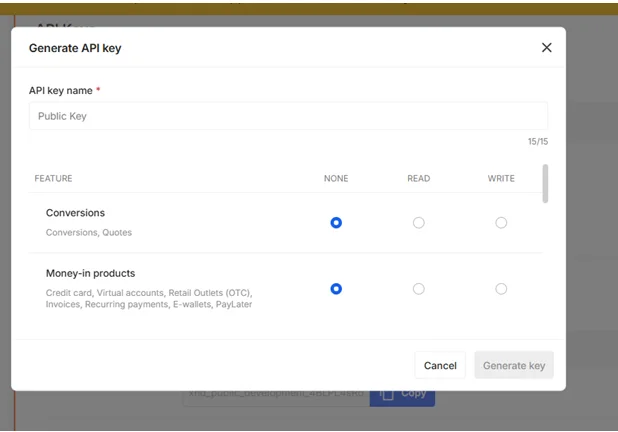
- Connect thes e test keys to your ticketing platform’s payment gateway settings, keeping Test/Sandbox mode enabled there too.
3. Set your webhook URL for Test Mode by submitting your Test Secret API Key against Xendit’s callback URL endpoint, specifically for the “invoice” webhook type, so paid/expired notifications reach your platform during testing. (Source: Xendit Help Center)
- Run a full test purchase, then confirm: did the order status update automatically? Did the ticket/QR code get issued? Does the transaction show as paid in your Xendit Dashboard’s Test Mode view?
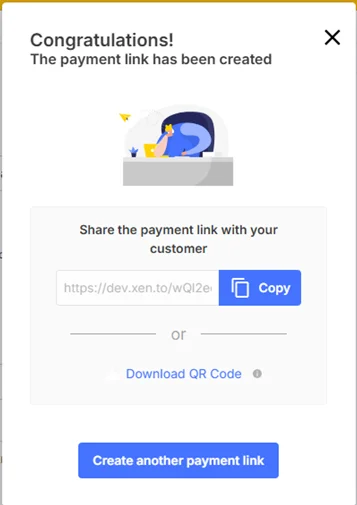
Only switch to Live keys once this full loop has been verified end to end.
Where Xendit Gamificationsummit Work Fits Into a Ticket Sale
If you’re using the pillar comparison covered in our ticket platforms guide, Xendit is typically one of several payment options a platform can connect to, rather than a ticketing platform in itself. Some platforms integrate Xendit directly; others may require a developer to connect it via API.
Before you choose Xendit for your event, confirm integration with your ticket platform. Some platforms support Xendit natively. Others require custom development. Integration options vary by platform. Avoid making assumptions without checking first.
What This Guide Does Not Cover
This guide does not cover Xendit’s custom or negotiated pricing, which Xendit offers for higher-volume merchants — the published rates above are Xendit’s standard rates, and Xendit invites merchants to contact their sales team for volume discounts, custom payment methods, or market-specific rates. This guide does not cover settlement times. Xendit does not publish one standard timeline for every payment method. Confirm the settlement schedule for your account and payment method directly with Xendit.
Frequently Asked Questions
Does Xendit work directly with ticketing platforms, or do I need a developer? This depends entirely on which ticketing platform you use. Some platforms may offer built-in Xendit support; others may require API integration work. Check with your specific platform first.
Is Xendit only for Southeast Asia?Xendit serves businesses in Indonesia, the Philippines, Vietnam, Thailand, and Malaysia. It also supports Singapore and Hong Kong. If your event targets attendees outside these markets, confirm payment method support with Xendit before accepting international payments.
What does Xendit actually charge per ticket sale? It depends on the payment method and country — see the fee table above for real, sourced figures. A GCash payment in the Philippines, for instance, carries a documented fee of 3.00% plus PHP 11.00 in processing fees, while a QRIS payment in Indonesia carries a documented fee of 0.70% plus IDR 4,000. Always check your Dashboard’s Billing Fee Structure page. Your negotiated rate may differ from the standard pricing.
How do I know a ticket payment actually went through? Your ticketing platform should listen for Xendit’s invoice webhook. Xendit sends this webhook after confirming payment. It also sends a webhook when an invoice expires without payment. Test this in Xendit’s sandbox before going live so you’re not debugging it on the day tickets go on sale.
Final Thoughts
Understanding how Xendit works for gamification summit-style events comes down to a few concrete things: what it actually charges per transaction, how confirmation reaches your ticketing system, and how to verify the whole flow works before real money is on the line. TThis guide uses information from Xendit’s official documentation and dashboard pages. However, confirm your account settings, ticket platform compatibility, and negotiated rates directly with Xendit before you launch.
Have a specific integration question this guide didn’t answer? Get in touch — every message is read personally.
Disclaimer
This article provides general information only. It has no affiliation with Xendit. Xendit does not endorse or sponsor this content. Payment processing details, fees, and supported regions may change over time. The fee figures above reflect Xendit’s published standard rates during our research. Always verify current pricing on Xendit’s official pricing page before making integration or business decisions.